
Genetec Security Center
- Project of the Year Winner 2024
- Project of the Year Winner 2025
How We Engineer Genetec Security Center
Unified Elite Partner Accreditation
Our engineers hold current Genetec certifications and design across the full Security Center product family — not just the modules that are easy to quote.
Award-Winning Integration
JD Security was awarded the Genetec Project of the Year (Oceania) in both 2024 and 2025.
Technical Project Delivery
Our engineering process includes mapping the infrastructure, modelling storage and bandwidth thresholds, proving hardware against the Genetec platform and managing the final commissioning phase.
Triple ISO Certification
Quality, environmental and safety management certified to ISO 9001, ISO 14001 and ISO 45001 — the same discipline applied to every deployment.
National Footprint, Local Engineers
Offices across Australia and New Zealand — Sydney, Melbourne, Brisbane, Adelaide, Perth, Auckland, Christchurch, Mudgee and Dubbo — supporting Security Center for its whole operational life, including Genetec Advantage maintenance coverage.
Omnicast: Video Management Without Compromise
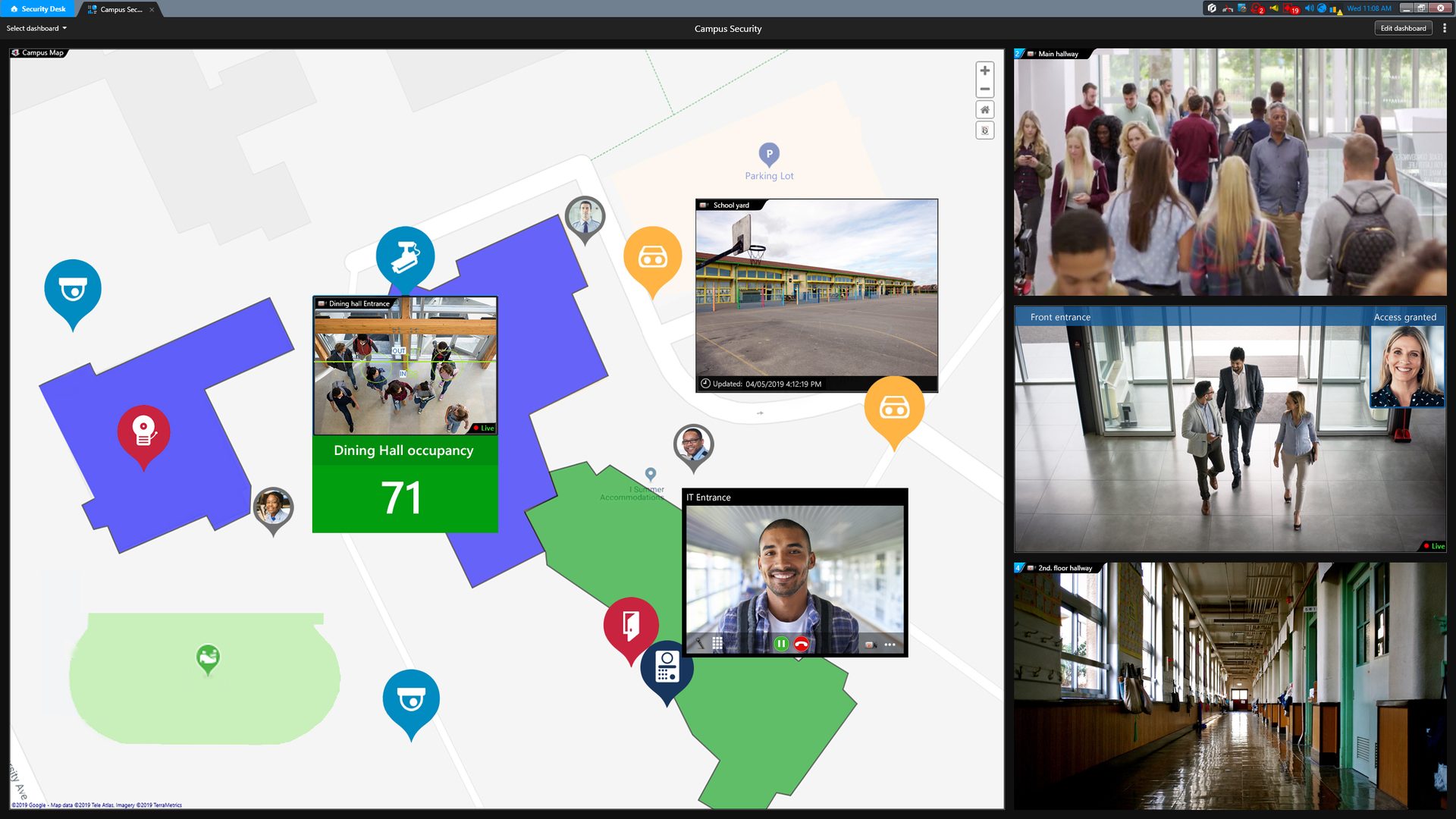
Omnicast is the video management system at the heart of Security Center. It manages live monitoring, recording, playback and export across deployments from a single site to thousands of cameras, with an open architecture that supports an extensive ecosystem of camera manufacturers. So your camera selection is driven by the application, not the software licence.
Day-to-day operation is where Omnicast earns its keep. Operators work from a single timeline that correlates video with access events, alarms and licence plate reads, cutting investigation time because the context is already assembled. And platform maintenance keeps improving: Security Center’s camera unit replacement tool automates the migration of settings, event-to-action mappings, and associated entities when a camera is swapped out — including transfers between different camera brands and models — reducing downtime and the risk of manual errors during hardware refresh cycles.
JD Security’s engineering role: camera schedule design, storage and bandwidth modelling, failover architecture, and integration of Omnicast with your access control and monitoring arrangements.
Synergis: Access Control on Open Architecture
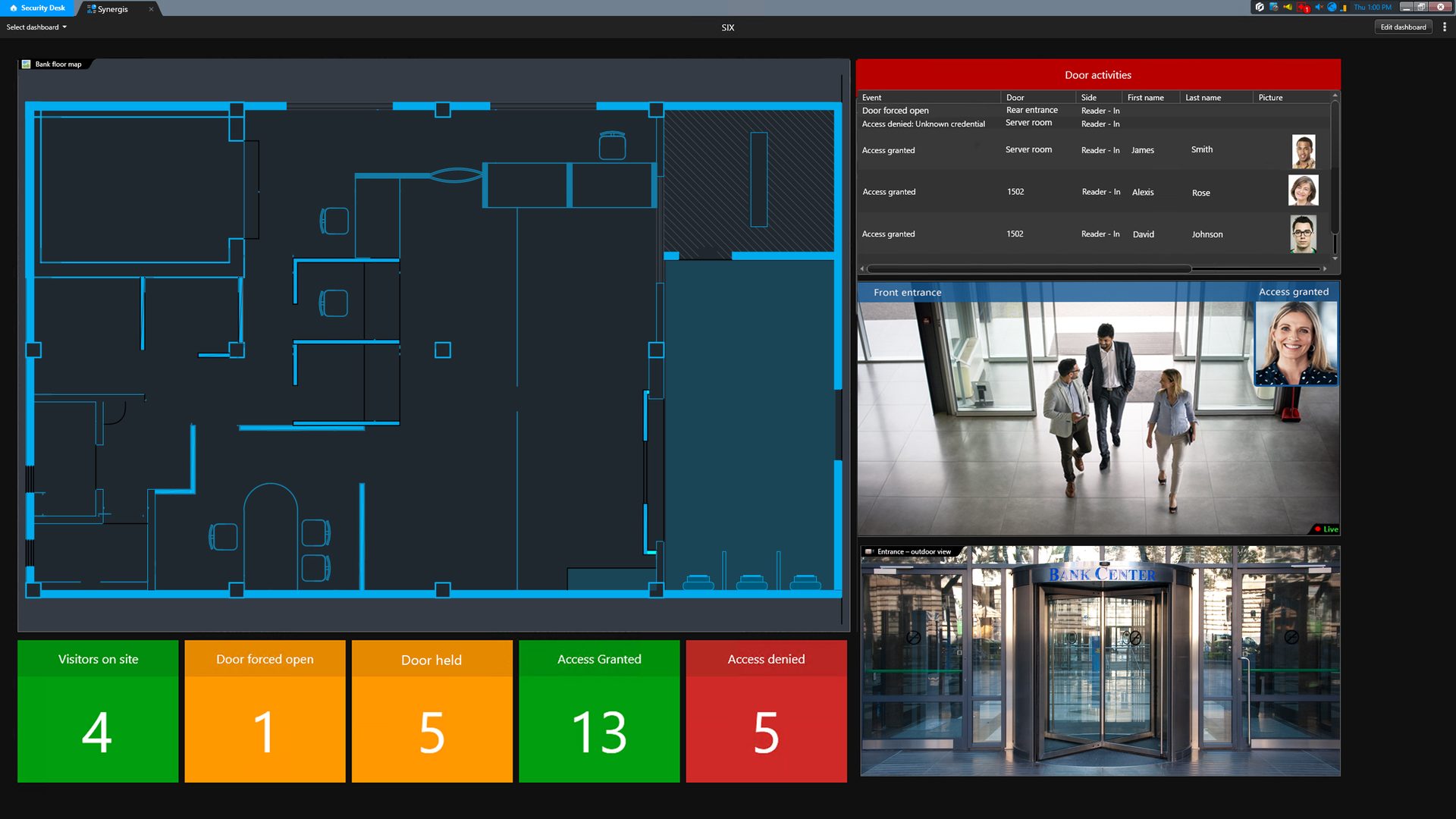
Synergis is Security Center’s IP access control system. Its defining capability is openness: Synergis supports non-proprietary door controllers and a broad range of readers and credentials, so your access control investment isn’t hostage to a single hardware vendor’s roadmap.
Because Synergis is native to Security Center, every access event lands in the same timeline as your video — a door forced, a credential refused, an after-hours entry — each one a click away from the footage that explains it. For organisations standardising on Axis infrastructure, JD Security also engineers AXIS Powered by Genetec door controllers (A1210, A1610, A1710, A1810), which run Synergis software on Axis network hardware.
JD Security’s engineering role: controller and reader selection, credential strategy (including HID Signo and mobile credentials — see our HID page), door hardware coordination, and staged migrations from legacy access control systems.
AutoVu: Licence Plate Recognition That Feeds the Bigger Picture
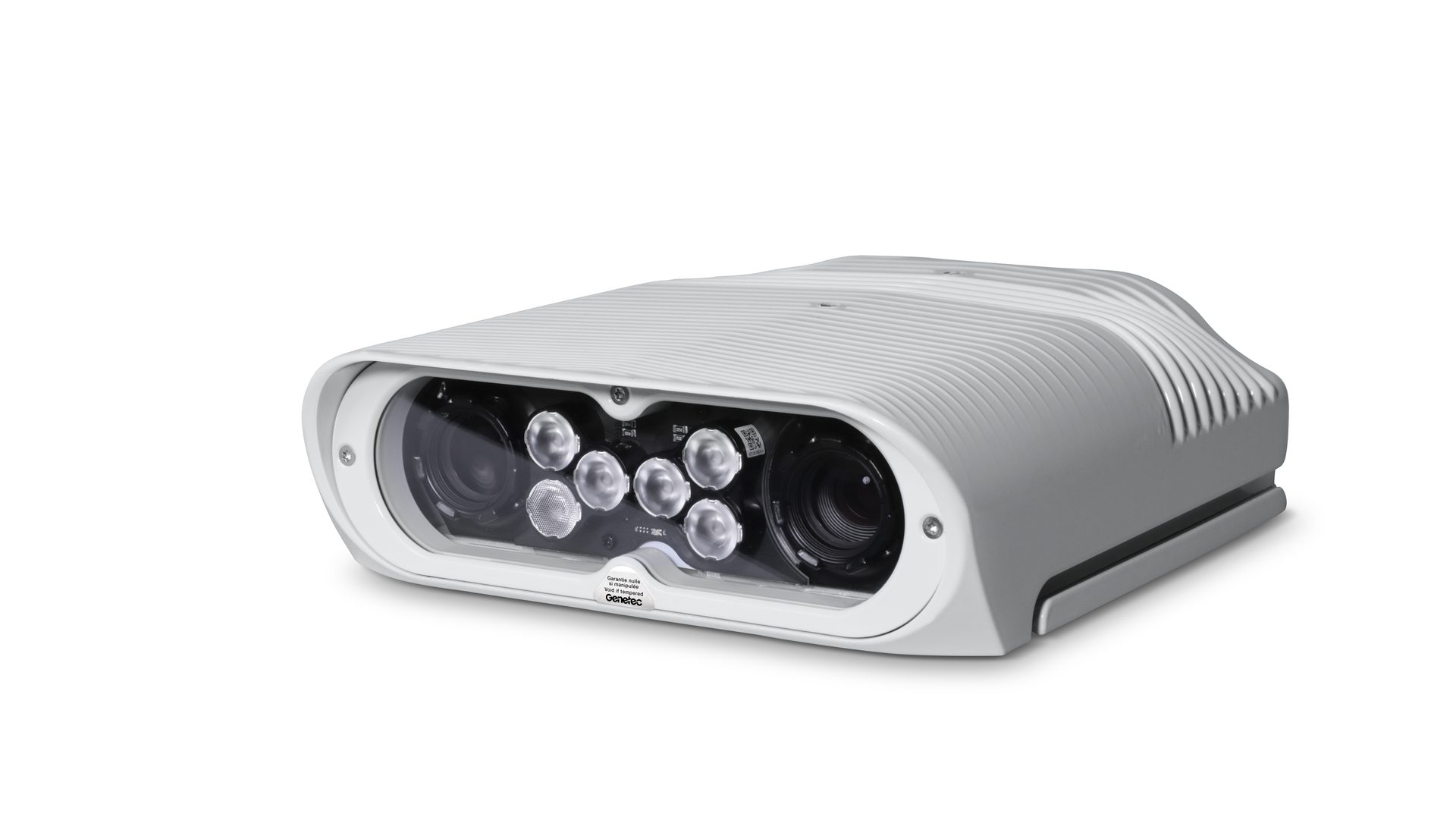
AutoVu brings automatic licence plate recognition into the same platform as your video and access control. Fixed cameras monitor entries, exits, and car parks; plate reads become searchable events on the unified timeline, automatically correlated with video.
The applications are practical: vehicle-based access for car parks and gated facilities, watchlist alerting, parking management, and investigation support — finding every appearance of a vehicle across your estate in seconds rather than hours of manual review.
JD Security’s engineering role: camera placement and angle validation for ANZ plate formats, read-accuracy commissioning, and integration of AutoVu events with access control rules and alarm workflows.
Security Center SaaS
Genetec Security Center SaaS delivers cloud-based, enterprise-grade physical security by unifying video surveillance, access control, and intrusion detection—no on-premises servers or manual updates required. As a Genetec Unified Elite Partner, JD Security helps organisations in Australia and New Zealand modernise security with predictable costs, automatic updates, and scalable deployments.
Whether you’re consolidating legacy systems or relieving your IT team of maintenance, we tailor deployments for your business—so you can protect assets, demonstrate compliance, and operate confidently. Ask JD Security how Security Center SaaS can support your next move.
Plan Manager
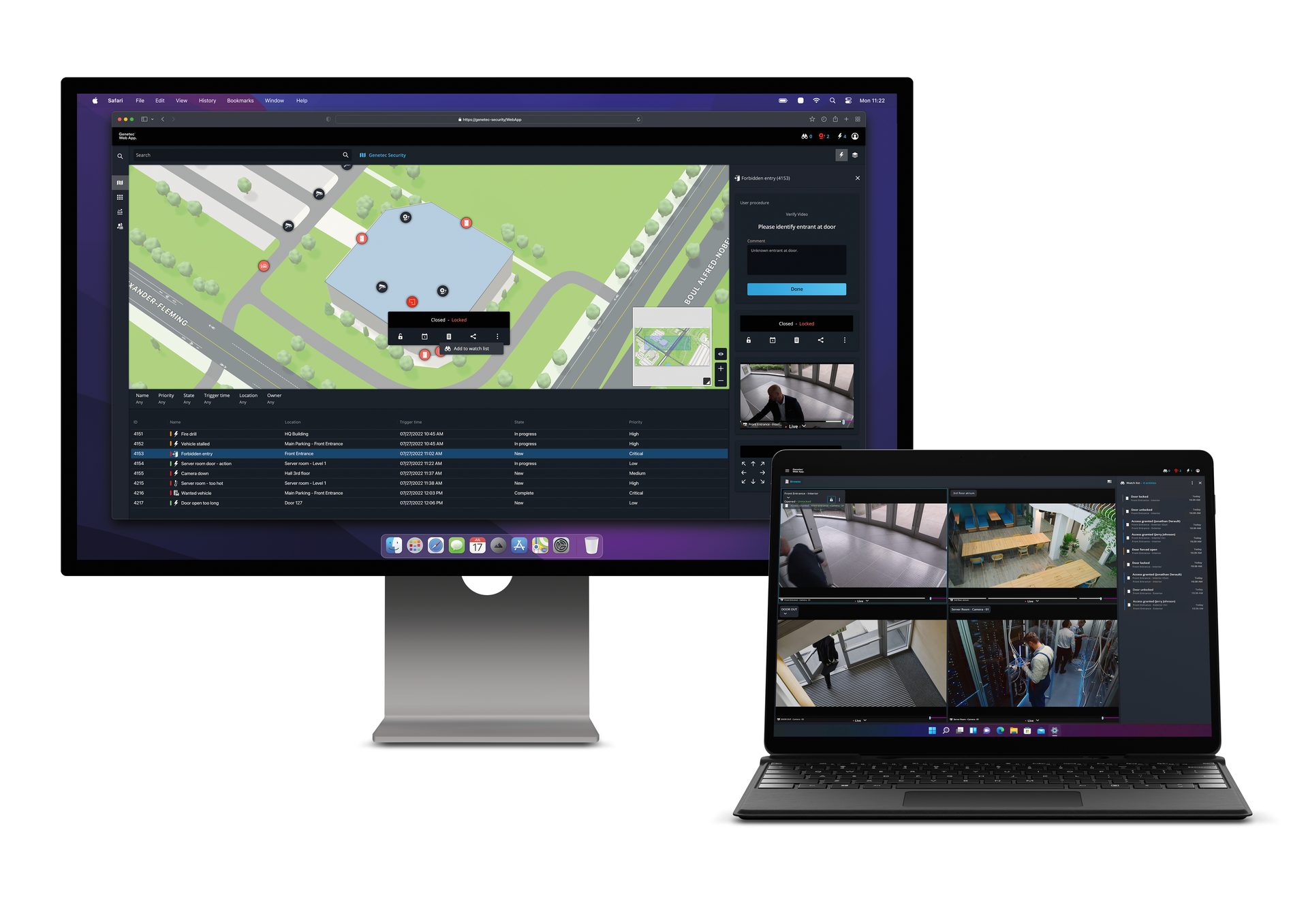
Maps in Genetec Security Center turn a wall of cameras into a single spatial picture operators can actually read. Every camera, door, intrusion zone, intercom and alarm is placed on an interactive map — a geospatial view across a campus or city, or a floor-by-floor plan of a single building — so operators see not just what is happening but exactly where. When an alarm triggers, the map directs the operator to the location, displays the nearest cameras, and puts the relevant controls within one click.
The outcome is a faster, more confident response. Instead of mentally translating a device name into a physical place under pressure, an operator sees the incident in context, assesses it against surrounding cameras, and acts — locking a door, calling up live video, dispatching a responder — from the map itself. For multi-site and large-footprint environments, that spatial context is the difference between a coordinated response and a scramble.
Genetec Sipelia
Sipelia is Security Center’s SIP-based communication module, bringing intercom calls into the same environment operators use for video and access control. A call from a door or gate arrives alongside the live video and access event that triggered it — so the operator sees who’s calling, verifies them on camera, and grants or denies access without switching systems.
This consolidation matters most across multiple entry points and locations. Every interaction is logged in the same audit trail, giving investigators and compliance teams one consistent record. Built on the open SIP standard, Sipelia works with a broad range of intercom hardware — including 2N IP intercoms, one of JD Security’s supported lines — so entry hardware is matched to the site rather than dictated by the software.
Genetec Mission Control
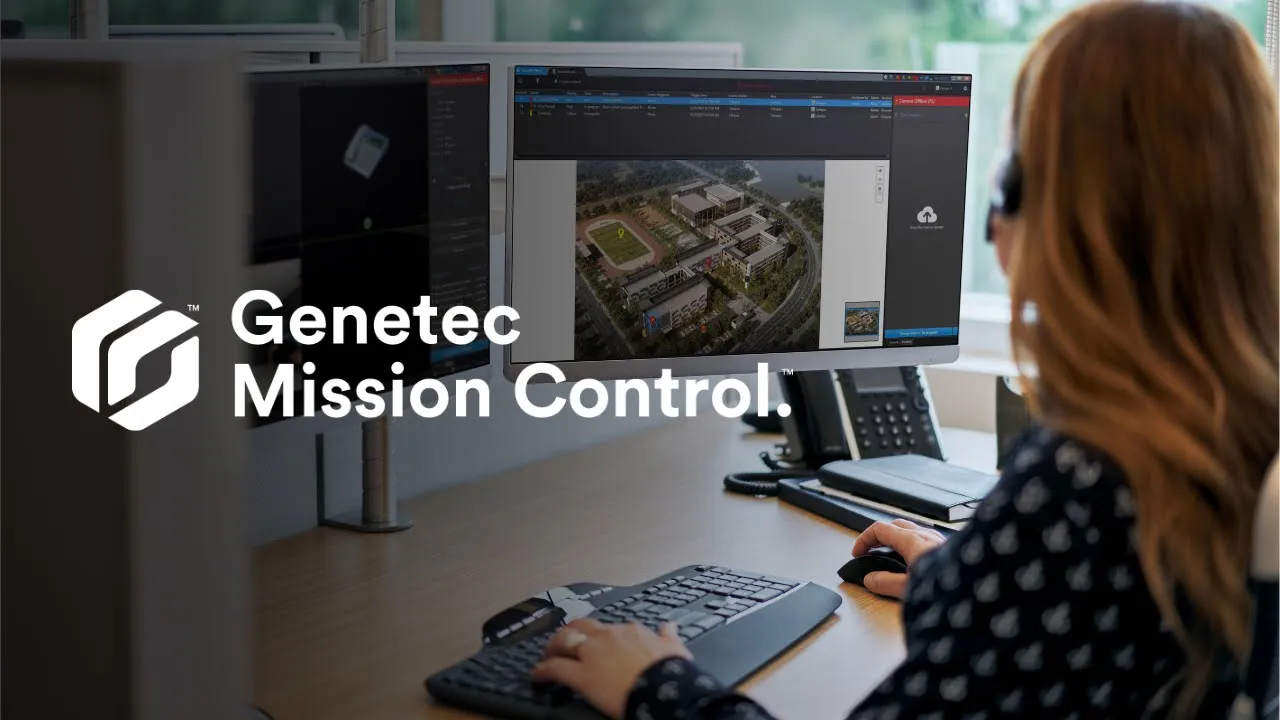
When an alarm fires in isolation, an operator has seconds to judge whether it matters — multiplied across hundreds of devices, that’s one of the biggest sources of wasted attention in a security operations centre. Genetec Mission Control solves this by correlating alarms from cameras, access control, intrusion and communications devices into a single prioritised incident, then guiding the operator through a standard response procedure.
The outcome: a faster path to resolution — and a defensible one. Every step is timestamped and audit-ready, turning Mission Control from a monitoring add-on into risk mitigation infrastructure.
Genetec Clearance
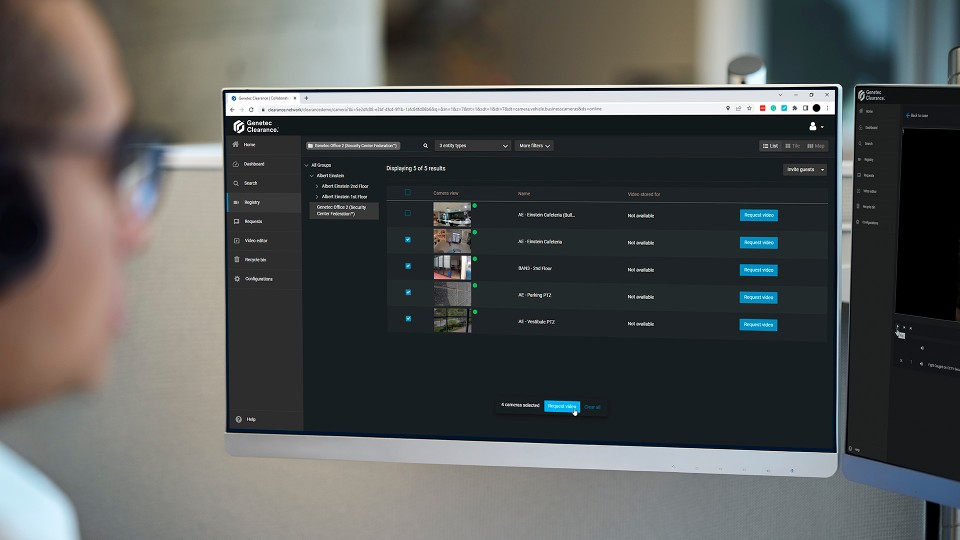
Genetec Clearance is a digital evidence management system that brings every case file — surveillance and body-worn footage, interview recordings, images, documents, and public submissions — into one access-controlled application, replacing USBs, DVDs, and shared drives. Enterprise and government investigation teams across ANZ grant authorised people immediate access to exactly what they need, redact faces without specialist tools, and rely on a timestamped audit trail for a defensible chain of custody. Configurable access controls and automatic retention schedules support the Privacy Act 1988 and Australian Privacy Principles, and the New Zealand Privacy Act 2020.
Active Directory Integration
Genetec Security Center synchronises with Microsoft Active Directory over LDAP, importing users and security groups and mapping them to Security Center user groups, partitions, and privilege sets. Group membership in Active Directory drives role and access assignment inside Security Center, so authorisation is inherited rather than duplicated: an operator’s rights to specific cameras, doors, alarms, and applications are resolved from their directory group, and periodic synchronisation propagates additions, moves, and deletions. Authentication can be delegated to Active Directory using Windows credentials, giving operators single sign-on against their existing domain identity and removing a separate security-system password from the credential lifecycle. Because provisioning and deprovisioning are anchored to the directory, account states — enabled, disabled, expired — are enforced centrally, closing the gap between HR/IT identity events and physical-access reality.
Integration Specifics
Yes. Security Center supports encrypted directory communication, so its connection to Active Directory can be secured with SSL/TLS rather than transmitting bind credentials and directory queries in the clear. This is the recommended configuration for production deployments and aligns with Genetec’s own hardening guidance for Windows Active Directory integration.
Active Directory security groups are imported into Security Center and associated with Security Center user groups, and it’s those user groups that carry the privilege set — not the AD group directly. Members inherit their privileges from the parent user group they belong to, so an operator’s rights follow automatically from their directory group membership. Privileges can then be refined per partition, where a granted or denied privilege at partition level overrides the inherited baseline. The result is that authorisation is defined once against groups and inherited by users, rather than configured person by person.
Yes. Security Center can delegate authentication to Active Directory, so operators sign in with their existing Windows domain credentials rather than a separate security system username and password. Authentication is validated against the directory at logon, enabling single sign-on with the identities users already hold and removing an extra credential from the lifecycle. This means one fewer password to issue, rotate, and revoke, and it keeps account state — enabled or disabled — governed centrally in Active Directory.
Disabling the domain account blocks access immediately at the authentication layer: because Security Center delegates authentication to Active Directory, the next logon attempt is rejected the moment the directory refuses the credential — the operator can no longer sign in. The user record and its inherited group privileges are then reconciled in Security Center on the next synchronisation cycle, which propagates the disabled state and removes the associated access. So logon is denied instantly, and the account’s standing is fully brought into line at the next sync.
Yes. Security Center supports nested user groups: a user inherits the properties and privileges of every group they belong to; a user can belong to more than one group; and groups can themselves be nested — so inherited authorisation flows down through the hierarchy rather than stopping at a single level. Imported Active Directory security groups are converted to Security Center user groups, so a tiered group structure is carried through to the platform.
Transaction Finder
Retail loss prevention teams typically spend hours cross-referencing POS exception reports against video footage — exporting transaction logs, then manually matching time codes to camera footage to determine whether a void, refund, or discount warrants investigation. Transaction Finder removes that manual step by embedding POS search and Exception-Based Reporting directly inside Security Center, so investigators can filter transactions by type or condition and jump straight to the matching video clip from the same interface.
The outcome is fewer applications for Loss Prevention teams to manage, faster case turnaround, and exception reports precise enough to act on.
Why go Genetec Security Center with JD Security?
JD Security has been designing and engineering security systems since 1984, and Genetec has recognised that work three years running: Unified Partner of the Year in 2023, then Project of the Year in 2024 and 2025. We choose platforms on merit and support them for their operational life.
FAQs
Genetec Security Center is a unified physical security platform that combines video surveillance (Omnicast), access control (Synergis), automatic licence plate recognition (AutoVu), intrusion monitoring and communications in a single interface. Because these capabilities are native to a single platform rather than integrated across separate products, events from every system appear on a single timeline within a single administrative environment.
Security Center is deployed on your own infrastructure, on-premises or in hybrid configurations. Security Centre SaaS delivers a unified platform as a cloud service on a hybrid cloud architecture, with automated updates, elastic scalability, and support for cloud-managed appliances and direct-to-cloud devices. Existing on-premises systems can federate into a SaaS deployment, so the two models are a continuum rather than an either/or.
Security Center is built on an open architecture with a broad ecosystem of supported devices from major camera and controller manufacturers. JD Security validates every proposed device against the platform during design, including AXIS Powered by Genetec door controllers that run Synergis software natively on Axis hardware.
In most cases, yes — and often in stages. JD Security engineers phased migrations that reuse compatible cameras, controllers, readers and cabling where the hardware meets the platform’s requirements, so the transition to a unified platform doesn’t require replacing everything at once.
Like any enterprise platform, Security Center benefits from planned maintenance: software updates, cybersecurity hardening, storage health checks and device firmware management. JD Security provides preventative maintenance programmes and supports Genetec Advantage coverage, which keeps the platform current with Genetec’s release cycle.
Security Center 5.14 introduces updates focused on automation, performance and scalability. Key enhancements include:
- Automation: The Automation Report Manager now runs on 64-bit architecture, allowing multiple automated tasks to be triggered simultaneously. Threat level configuration is integrated into the Automation task, and a new “wait for event” feature allows actions to proceed only when specific conditions are met within a defined timeframe.
- Performance: Security Desk and the Media Gateway now run natively on 64-bit architecture, improving video decoding, encoding and dewarping. The Archiver agent also runs on 64-bit architecture, enhancing its ability to handle larger workloads and high-resolution video streams.
- Usability: You can now schedule tasks in local time without converting to UTC or adjusting for daylight saving. Finnish language support has been added.
- Access control: Custom privilege templates are available, along with more granular user privileges for threat level activation. You can email cardholders, users or external recipients directly from Security Center reports.
- Video and ALPR: Add text overlays, images and polygons to visual tracking. ALPR now supports Korean licence plate reads for search and hotlist matching. You can automatically blur faces in high-resolution ALPR.
- Web experience: Security Center 5.14 no longer supports the legacy Security Center Web Client; the Genetec Web App replaces it.
- Storage: Automatic configuration of recording file size is available when enabling cloud storage, and the Zone Manager retention period has increased to 9,999 days.
- Hardware: Support for the Evolis Primacy 2 printer (SSCP version) is included for printing modern credentials. Monitoring inputs and their status are displayed within virtual zones in monitoring tiles and maps.
Genetec Security Center Downloads
Let's Talk Security
Choosing security solutions can be complex. Book a call with our experts and we’ll guide you step by step, helping you select the right products and services to protect your business as it grows.
Book a call
Get in touch with our team to discuss your requirements. Fill in the form below and a member of our sales team will be in touch within 24 hours.
By submitting this request, you have read and agree to our Privacy Policy
Thank you for your submission